Big Bass Demo demosini iPhone bosh ekraniga qoʻshing
Three taps in Safari · about 1 minute
Bosqichma-bosqich
Step 1 — Menu button
Open the demo page (link at the end of this guide) and tap the menu button (three lines) at the bottom of the screen in Safari's toolbar.

Current iOS

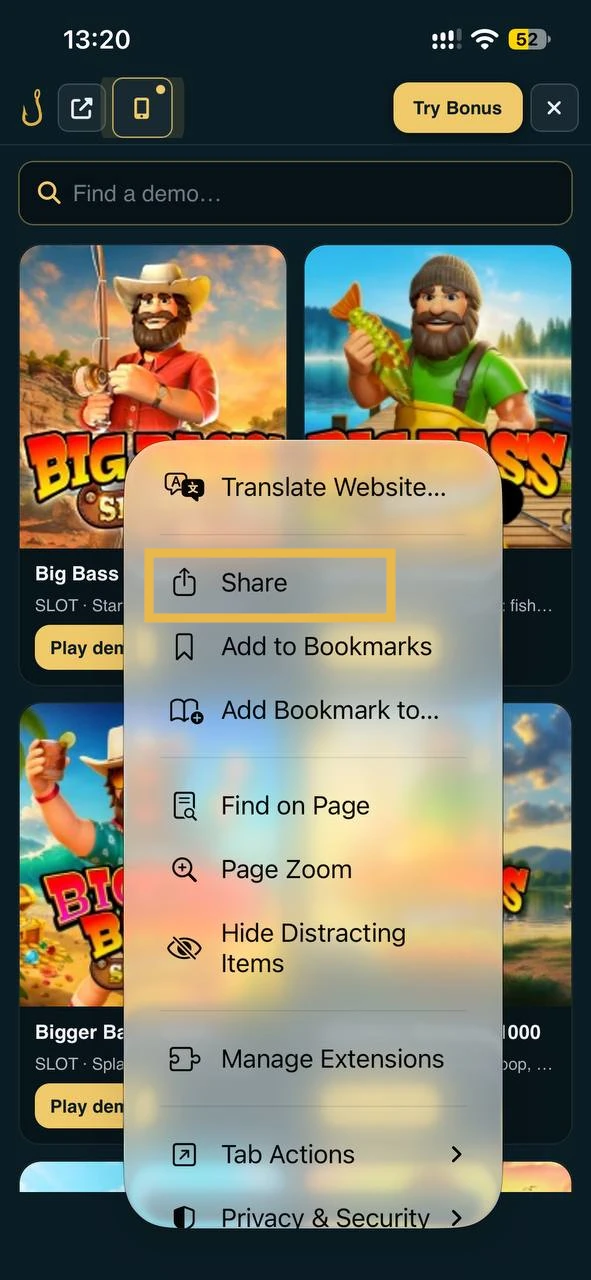
Step 2 — Share
Choose Share — in Safari this is usually the square with an up arrow.

Current iOS
Step 3 — Add to Home Screen
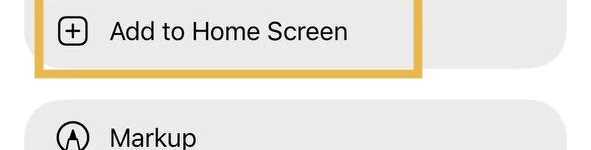
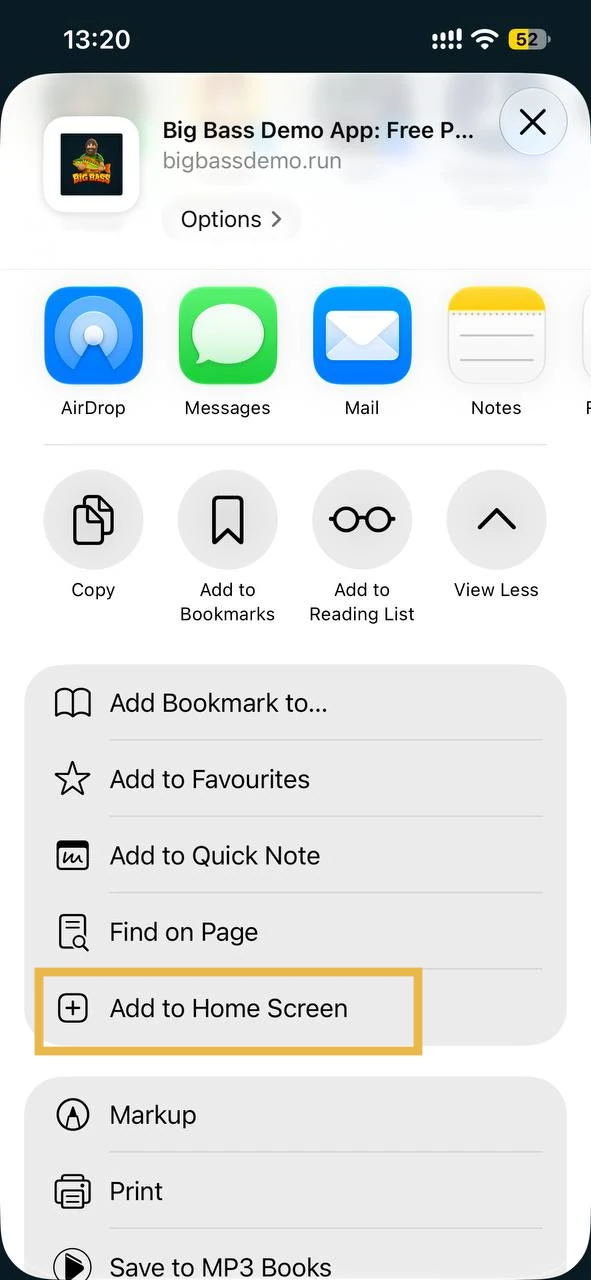
Scroll the list of actions and choose Add to Home Screen. If it is not listed, open Edit Actions at the bottom and turn it on. In the next sheet, if iOS offers Open as Web App, turn it on, then tap Add.
Current iOS
Complete the 3-step tour — then copy the Safari link below
You're ready — open the demo in Safari
Paste the link in Safari's address bar, then repeat the 3 steps above on the demo page.
Open Safari and paste in the address bar
Why install?
Taxminan bir daqiqada Big Bass Demo bosh ekraningizda paydo boʻladi — toʻliq ekran, bir tegish va kundalik ilovalardagi kabi qulay foydalanish. Belgi kerakli joyda turadi, alohida oynada ochiladi va ilk ishga tushirishdanoq tanish tuyiladi. Apple bu rasmiy usulni Safariʼga kiritgan; quyidagi uch bosqich oddiy oʻrnatilgan ilova bilan bir xil natija beradi.